Vault Upload Instructions

In order to keep your data and personal information secure, Human Investing clients have a personal Vault for securely uploading files and documents. Please follow the steps below for how to upload a document to your Vault.
 

step 1

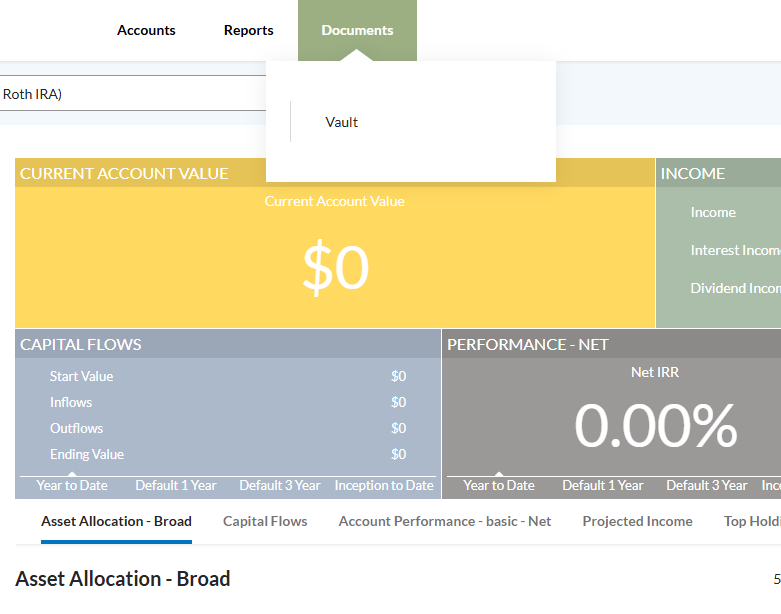
Navigate to your Client Portal and hover over the ‘Documents’ tab. This will reveal a drop down menu with a link to the Vault.

Click the ‘Vault’ option and continue.


Step 2

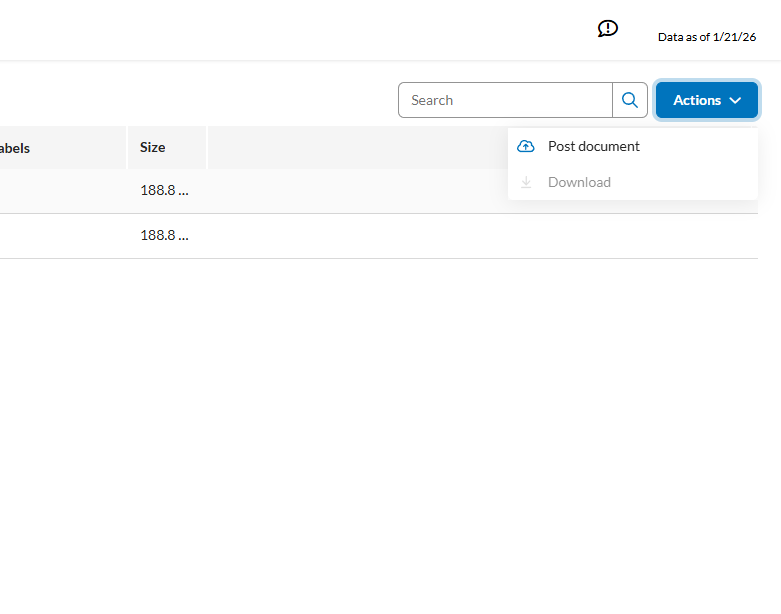
Once at the Vault home page you will see existing uploads, find the ‘Actions’ button in the top right hand corner of the page.

Click the ‘Actions’ button and select ‘Post Document’.


step 3

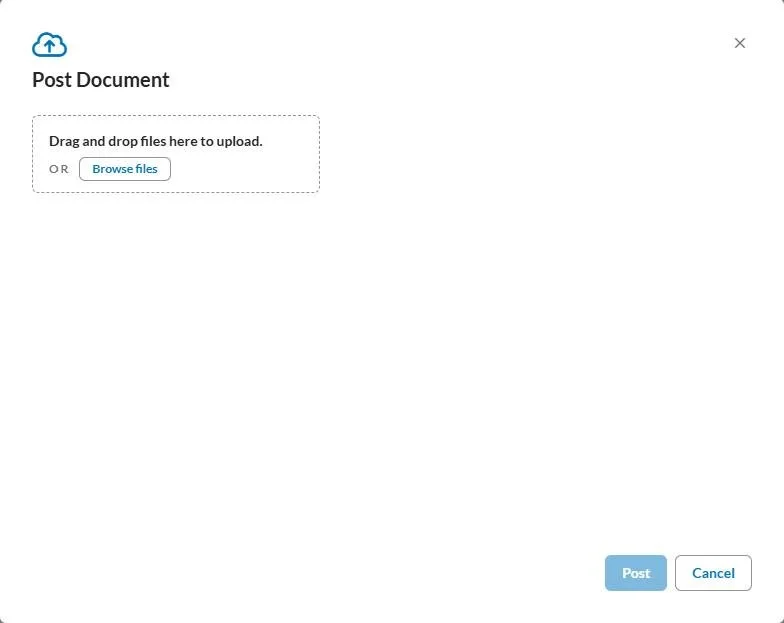
By clicking ‘Post Document’ a pop up window will appear allowing you to drag or browse for the document you intend to upload.


Step 4

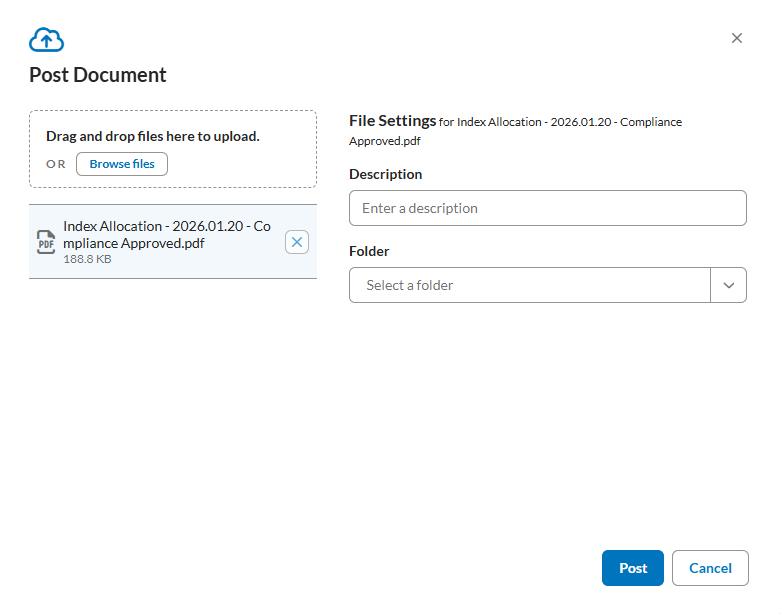
Once you upload your file, give the document a name in the Description box and select a Folder.

Finally, press ‘Post’ in the bottom right corner. This will securely upload your file and notify your service team.


HAVE QUESTIONS?

E-mail our Tax Team at tax@humaninvesting.com.